
Server setup · Server
Join
Greet newcomers and screen them at the door.
Overview
The join system runs when a member arrives. In order, it can refuse accounts that are too young, make the member solve a captcha, give them their starting roles, ping them in a few channels, post a welcome message and send them a private message. Each step is optional, and the whole system is off until you turn it on.
The welcome message
A message and an embed, posted in the welcome channel. Both accept variables. When the text uses the inviter's variables, the bot waits up to two minutes for the invite to be identified, so the inviter is known. The default message is shown below.
The direct message is a separate text sent privately to the member, with a disabled button showing the server's name.
Page 1 of the panel
The default welcome message
Screening newcomers
- Minimum account age
- An account younger than the duration (for example
7d) is kicked at once, without a message. Handy against throwaway accounts. - Captcha
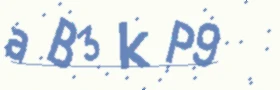
- The member gets a private channel with an image to read and has 3 attempts, within 5 minutes, to type the code. Until then they hold a Lumabot-Unverified role that hides every channel. Failing or running out of time means a kick.
The captcha
After a wrong answer
 Warning
Roles and pings
Auto-assign roles are given to the member on arrival. They are the roles of the member permission group (see the Permissions page), so changing them here changes that group too. Ghost ping channels mention the member in each channel and delete the message at once, so the member sees a notification that leads to that channel.
Page 2 of the panel
/guild joinOpens the join panel, in two pages.
Need a hand?
Our support server is the fastest way to get help or suggest a feature.